YouTube のおすすめ動画は色々な世界に出会わせてくれますが、それ以上に時間泥棒であるのは言わずもがな…
興味なし や チャンネルをおすすめに表示しない で調整はできます。ただ、それでもおすすめ欄そのものは残ります。
それなら、登録チャンネルだけ見られる YouTube を作ってしまうのはどうでしょう?
方針
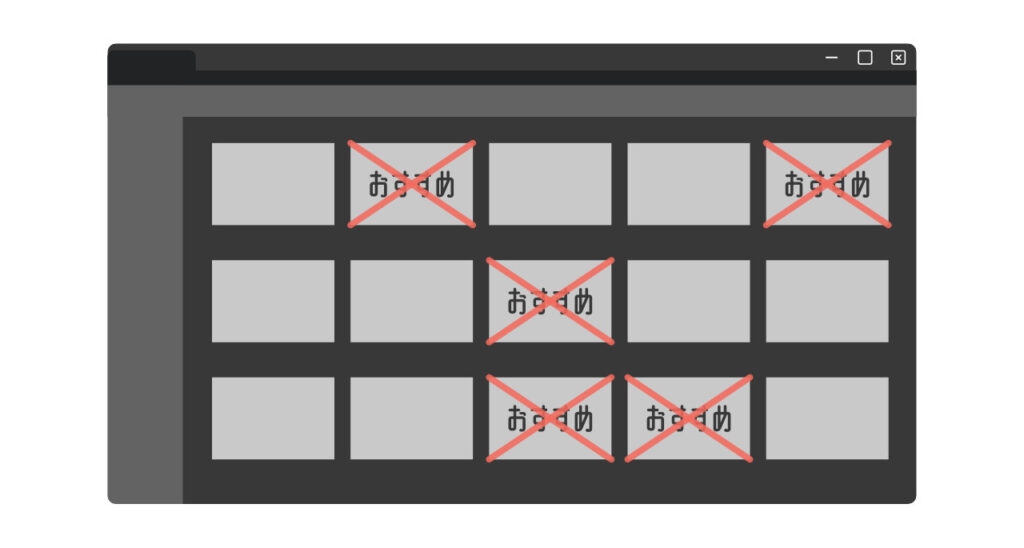
最初に考えたのは、ホーム画面から登録チャンネル以外の動画を消す方法です。
ただ、YouTube のホーム画面を CSS だけで綺麗に仕分けるのは難しそうです。
そこで、少し考え方を変えます。ホーム画面を使わず、登録チャンネルページをホーム画面のように見せかける方法を考えてみます。
やること
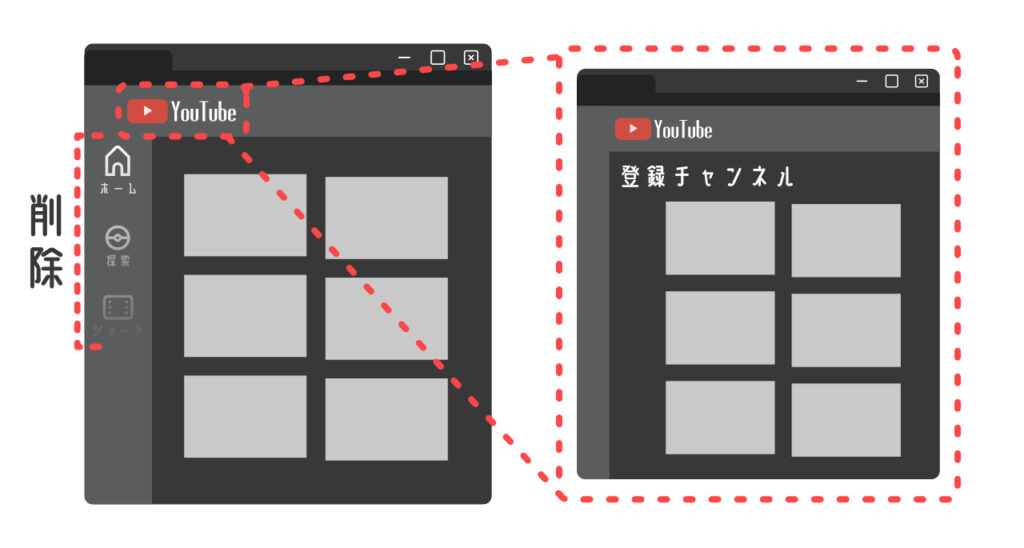
- 左メニューの
ホーム、探索、ショートを CSS で消す - YouTube ロゴを押したとき、登録チャンネルページへ飛ばす
https://www.youtube.com/を開いたとき、登録チャンネルページへリダイレクトする
ここまでやれば、実質的に登録チャンネル中心の YouTube になります。
本当にストイックを目指すならば、関連動画まで消すこともできます。
導入
CSS と JavaScript を追加できる拡張機能を使います。
YouTube 用なら Tweaks for YouTube が便利です。
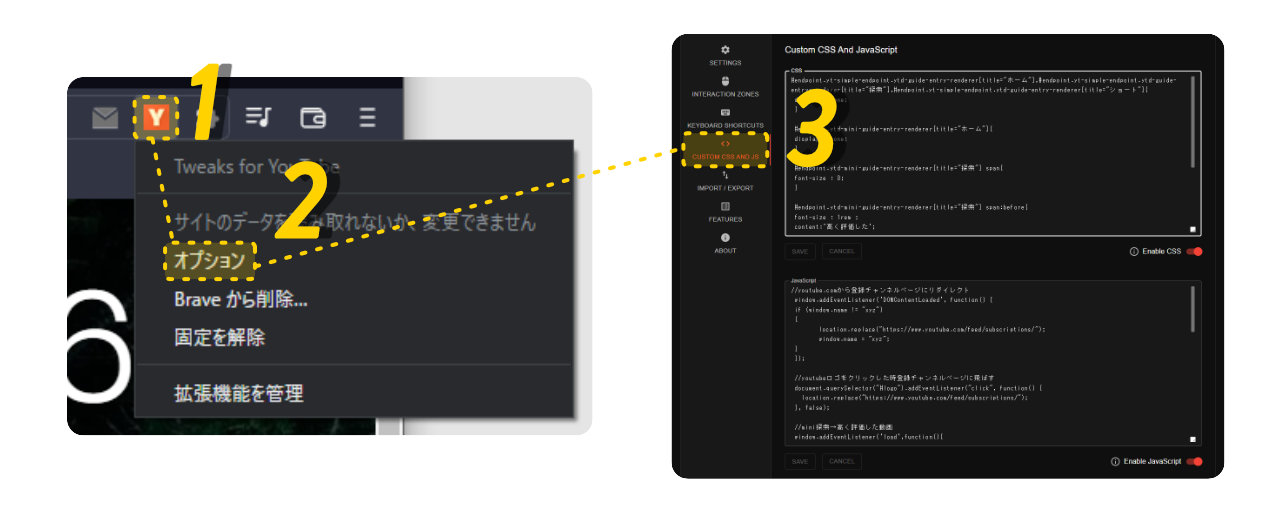
- ブラウザ右上の
Tweaks for YouTubeアイコンを右クリック オプションを開くCustom CSS And JavaScriptに移動- 下のコードを貼り付ける
PC 版 YouTube 向けです。YouTube 側の仕様変更で動かなくなる可能性はあります。
最小構成
登録チャンネル と ライブラリ 以外の入口を消します。
#endpoint.yt-simple-endpoint.ytd-guide-entry-renderer[title="ホーム"],
#endpoint.yt-simple-endpoint.ytd-guide-entry-renderer[title="探索"],
#endpoint.yt-simple-endpoint.ytd-guide-entry-renderer[title="ショート"] {
  display: none;
}

#endpoint.ytd-mini-guide-entry-renderer[title="ホーム"],
#endpoint.ytd-mini-guide-entry-renderer[title="探索"],
#endpoint.ytd-mini-guide-entry-renderer[title="ショート"] {
  display: none;
}
const url = location.href;
window.addEventListener("DOMContentLoaded", function () {
if (url === "https://www.youtube.com/") {
if (window.name !== "xyz") {
location.replace("https://www.youtube.com/feed/subscriptions/");
window.name = "xyz";
}
}
});
document.querySelector("#logo").addEventListener("mousedown", function () {
location.replace("https://www.youtube.com/feed/subscriptions/");
}, false);少し便利にする構成
しばらく使っていると、高く評価した動画や履歴ページもよく開くことに気づきました。
そこで、ミニガイド側の 探索 と ショート を、高く評価した動画 と 履歴 に置き換えます。
#endpoint.yt-simple-endpoint.ytd-guide-entry-renderer[title="ホーム"],
#endpoint.yt-simple-endpoint.ytd-guide-entry-renderer[title="探索"],
#endpoint.yt-simple-endpoint.ytd-guide-entry-renderer[title="ショート"] {
  display: none;
}

#endpoint.ytd-mini-guide-entry-renderer[title="ホーム"] {
  display: none;
}

#endpoint.ytd-mini-guide-entry-renderer[title="探索"] span,
#endpoint.ytd-mini-guide-entry-renderer[title="ショート"] span {
  font-size: 0;
}

#endpoint.ytd-mini-guide-entry-renderer[title="探索"] span::before {
  content: "高く評価した";
  font-size: 1rem;
}

#endpoint.ytd-mini-guide-entry-renderer[title="ショート"] span::before {
  content: "履歴";
  font-size: 1rem;
}
const url = location.href;
window.addEventListener("DOMContentLoaded", function () {
if (url === "https://www.youtube.com/") {
if (window.name !== "xyz") {
location.replace("https://www.youtube.com/feed/subscriptions/");
window.name = "xyz";
}
}
});
document.querySelector("#logo").addEventListener("mousedown", function () {
location.replace("https://www.youtube.com/feed/subscriptions/");
}, false);
function replaceMiniGuideLinks() {
const entries = document.getElementsByTagName("ytd-mini-guide-entry-renderer");
entries[1]?.addEventListener("mousedown", function () {
location.replace("https://www.youtube.com/playlist?list=LL");
}, false);
entries[2]?.addEventListener("mousedown", function () {
location.replace("https://www.youtube.com/feed/history");
}, false);
}
window.addEventListener("load", function () {
setTimeout(replaceMiniGuideLinks, 2000);
}, false);
window.addEventListener("focus", function () {
setTimeout(replaceMiniGuideLinks, 2000);
}, false);リダイレクトの無限ループ回避は、OpenSpace の 1回だけリロードさせる を参考にしています。
問題点
かなり強引な方法なので、問題はあります。
- YouTube 側の仕様変更で動かなくなる
- ミニガイドのリンク置き換えが安定しないことがある
- リダイレクト条件を間違えると、動画ページやチャンネルページまで飛ばしてしまう
そのため、リダイレクトは https://www.youtube.com/ のときだけ動くようにしています。